Your songs will appear here
Describe a song or paste your lyrics in the panel. Each run returns two full tracks, side by side on this canvas.
Describe the song or paste your own lyrics. Suno v6 writes the music, sings the words and gives you two takes in about a minute.
Try it freeWrite a line about the song and the model writes the lyrics too. Already have words? Switch to Use my lyrics and they are sung as you wrote them.
Each run returns two complete takes of the same idea, with vocals, cover art and a title. Keep the one you like; the price covers both.
Name the voice you want (a warm female lead, a male rapper, a choir), or write "instrumental, no vocals" for background music you can put under a video.

Chasing the Sun
Indie pop · 3:12
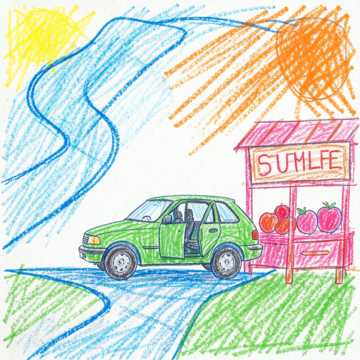
Chasing the Sun
Indie pop · 3:16
We’re heading west with the whole crew singing Two hands up when the pavement’s ringing Turn it loud, let the long road run Summer’s ours and we’re chasing the sun
An upbeat indie pop song about a summer road trip with friends — jangly electric guitars, bright synths, handclaps, a warm female lead vocal and a catchy sing-along chorus.
Say what the song is about and how it should sound. The model writes the verses and a chorus, sings them and arranges the track, so one line becomes a three-minute song.

Stay a Little Longer
Acoustic pop · 0:56
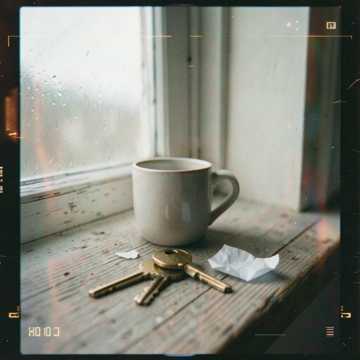
Stay a Little Longer
Acoustic pop · 0:58
[Verse] Coffee on the windowsill, the city's waking slow / I left a note beside your keys, the one you'll never show [Chorus] Stay a little longer, let the morning wait / Stay a little longer, we can still be late
Switch to Use my lyrics, paste your words and name a style. They are sung exactly as written, in the order you wrote them. Mark sections with [Verse] and [Chorus] to shape the song.
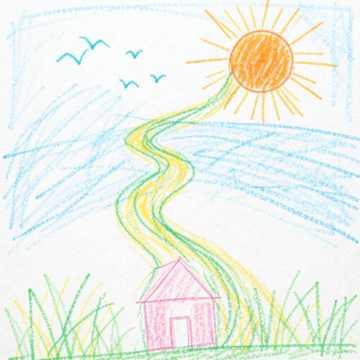
Journey Begins
Acoustic, ambient · 2:57

Warm Journey
Instrumental, acoustic · 2:07
Calm, uplifting background music for a travel vlog on YouTube — fingerpicked acoustic guitar, soft piano, a light shaker and a gentle build, steady mid tempo, instrumental, no vocals.
Describe the mood of the video and add "instrumental, no vocals". You get music with no words to compete with your voice-over, for a vlog, a tutorial or a product video.

Happy Birthday, Maya
Acoustic pop · 2:51

Happy Birthday, Maya
Acoustic pop · 2:46
Happy birthday, Maya, this one's yours Sing it loud and let it fill the room Happy birthday, Maya, laugh and sway May your favorite dreams come true today
A happy birthday song for my friend Maya — cheerful acoustic pop with ukulele and hand claps, a bright female vocal that sings her name in the chorus, playful and warm.
Put the name in the prompt and ask for it in the chorus. The song is written around that person, which makes it a gift rather than a playlist pick. Play it at the party or send it.
No Shortcuts
Hip hop, boom bap · 2:29
No Shortcuts
Hip hop, boom bap · 2:27
I’m going up, no ceiling in sight Hands on the wheel, I’m steering my life If it takes all day, if it takes all night I chase that goal till I get it right
A confident hip hop track about chasing your goals — hard boom bap drums, deep bass, a dusty piano loop, a male rapper with a punchy flow and a catchy hook.
Name the beat, the flow and what the verses are about. You get a rapped verse over drums and bass with a chorus that comes back, not a spoken poem over a loop.
Say the genre, the instruments, the kind of voice and what it is about: "a slow soul ballad about coming home, warm piano, a female vocal". Or pick Use my lyrics, paste your words and add a style.
Suno v6 follows the prompt most closely. v6 Wild takes more liberties, which is useful when you want to be surprised. v6 Mini is lighter and quick for trying ideas. Each run is 30 credits.
Two complete songs land on the canvas in about a minute, each with a title and cover art.
Play both takes and download the one you like as an MP3, or change a few words and run it again.
Two things this page asks you to do, from Suno's own guidance.
When you paste your own lyrics, mark the parts with [Verse], [Chorus] and [Bridge]. Suno says these tags are how it best understands the structure you want, and we pass your lyrics to it exactly as you typed them.
“Suno works best when you guide it with structure tags such as [Verse], [Chorus], and [Bridge].”The more precisely you name the instruments, the tempo and the voice, the closer the song comes out to what you had in mind. That is why the starters on this page spell those details out.
“The more specific your musical vocabulary, the more control you have over your Suno creations!”You describe a song in words, or give it your lyrics, and an AI model makes the whole track: the melody, the instruments, the arrangement and a singing voice. This page runs Suno v6 and returns two complete songs per run.
Describe the song in the panel (genre, instruments, the kind of voice and what it is about), then select Generate. About a minute later two full songs land on the canvas, and you can play them and download the one you like as an MP3.
Yes, to start. Sign up for a free account and your first songs on Suno v6 cost nothing. After that each run is 30 credits for two songs, or start the 3-day free trial for 200 credits. Starting the trial takes a card but costs nothing today; we email you before it ends, and if you do not cancel, the plan you picked renews at its normal price.
No. Making a song takes a free account, which is also where your songs are kept so you can play and download them later.
Yes, that is what it does by default. The model writes lyrics from your description and sings them. Say what kind of voice you want, such as a warm female lead, a male rapper or a choir, and it follows.
Yes. Switch the panel to Use my lyrics, paste your words and add a style such as "acoustic pop, male vocal". The words are sung as written. Mark sections with [Verse], [Chorus] and [Bridge] to control where each part goes. If you only have an idea, the Auto tab drafts lyrics for you to edit first.
Yes. Add "instrumental, no vocals" to your description and the tracks come back without singing, which is what you want for background music under a video, a podcast or a stream.
Yes. Describe the mood and pace of the video, ask for an instrumental, and pick the take that sits best under your voice. Download it without the watermark tone on a paid plan or during the free trial before you publish.
Yes. Put the name in your prompt and ask for it in the chorus, for example "a happy birthday song for Maya, cheerful ukulele pop, sing her name in the chorus". For exact words, write the lyrics yourself and use Use my lyrics.
From a description, songs usually run two to four minutes, and the model decides where the song ends. With your own lyrics the length follows the words: a verse and a chorus make a song of about a minute.
Suno v6 is the default and sticks closest to what you asked for. Suno v6 Wild takes more liberties with the style, which helps when you want something unexpected. Suno v6 Mini is lighter and quick for trying ideas. All three cost the same 30 credits a run.
Not on this page. The voice is generated by the model, and it does not take an uploaded recording to sing in your voice or to rework an existing song.
Only when you download on a free account: the MP3 has a short, quiet tone every ten seconds. Paid plans and the free trial download the clean track.