シーンを文章で書くか最初の画像を追加すると、カットを自動で割った音声付きの動画ができます。Seedance 2.5は最長30秒です。
A thunderstorm arrives over a seaside town at dusk. Rain begins to hammer the cobbled street, awnings snap in the wind, a distant roll of thunder, a shopkeeper hurriedly pulls in a rack of postcards while a radio plays faintly from a doorway. Cinematic, moody blue light, the sound of each layer distinct.
Seedance 2.5は映像と同じ生成で音も作るので、雨、雷、戸口から聞こえるラジオまで一緒に届きます。音声をオンにして聞いてみてください。
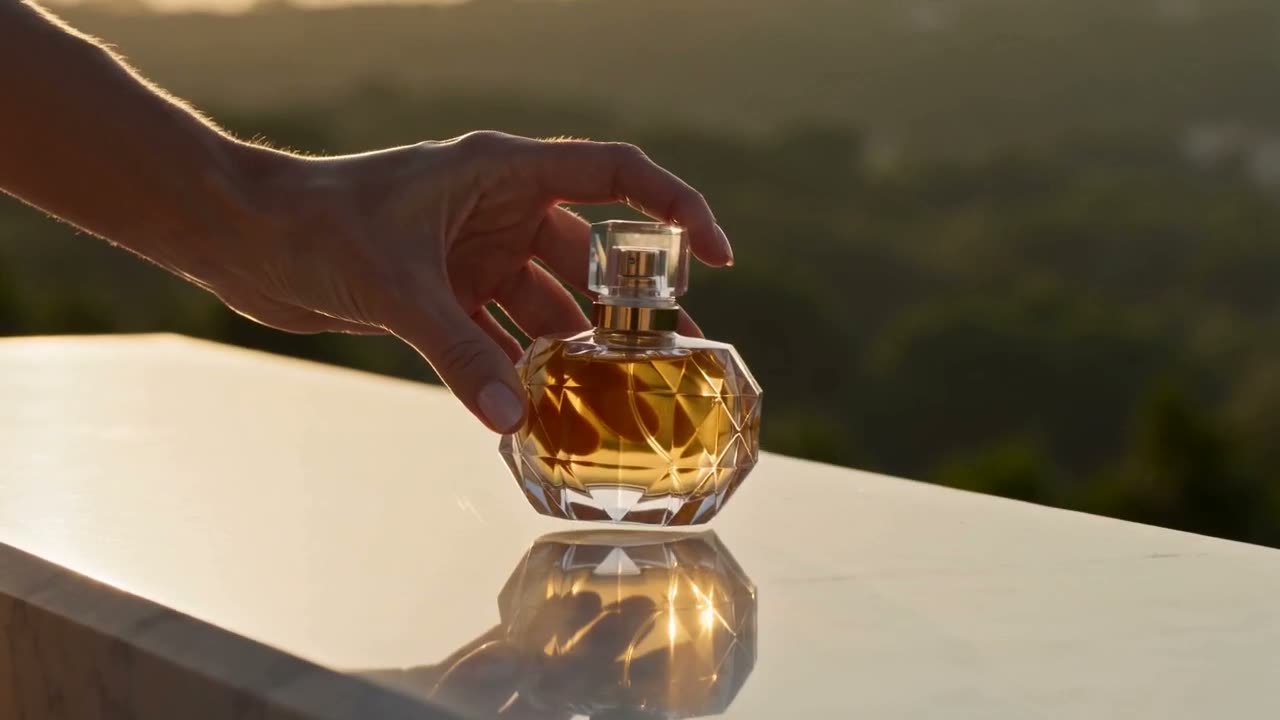
A polished 15-second perfume commercial that cuts between shots: a close macro of golden liquid swirling in a faceted glass bottle, then a wide of a woman in silk crossing a sunlit stone terrace, then a tight insert of her hand setting the bottle down on marble. Each cut lands cleanly, consistent warm late-afternoon light throughout, luxury advertising grade, no text, no logos.
CMをショットの一覧として書けば、Seedanceがそのとおりにつなぎます。ボトルのマクロ、テラスの引き、香水を置く手元。どのカットも光がそろっていて、あとから編集する必要はありません。
A short sequence in three shots with no cuts written into the prompt — let the camera plan itself. A chef in a small kitchen plates a dish: establishing wide of the kitchen, medium of the hands arranging the plate, close on the finished dish as steam rises. Continuous kitchen, same chef, same light, coherent geography between shots. Warm practical lighting, documentary feel.
カットを書き込む必要はありません。起きることを書けば、Seedanceがカメラの位置を決め、キッチンもシェフも光もカットをまたいで同じに保ちます。
The same young man with a shaved head and a green bomber jacket appears in three consecutive shots: leaning against a fence at a skate park, walking through a subway turnstile, sitting on a bus by the window. His face, build and jacket are identical in every shot, consistent overcast daylight, steady handheld camera, natural colour grade.
人物を一度書けば、Seedanceはそのまま保ちます。スケートパークでも改札でもバスの窓際でも、同じ顔、同じ体格、同じ緑のジャケット。ショートドラマやシリーズでは、毎回まったく同じ言葉で書いてください。
最新のSeedanceは映像と一緒に音も生成します。雨音、足音、人でにぎわう部屋のざわめきまで。1本の長さは5・8・10・15・20・30秒から選べます。
仕上がり重視ならSeedance 2.0、少ないクレジットでたくさん試したいときは2.0 Fastや2.0 Mini。どれも5〜15秒の動画を作れます。
シーンを書くだけで、Seedanceが引きの画、手元、アップとカットを組み立てます。人物も光も全カットでそろったままです。
ページを開くと最新のSeedance 2.5が選ばれています。安く作りたいときは、モデルのメニューでSeedance 2.0、2.0 Fast、2.0 Miniに切り替えてください。
画面に映るものと動くものを書きます。画像を1枚追加するとその画から動画が始まり、2枚なら最初と最後のフレームになります。
Seedance 2.5は5〜30秒、2.0は5〜15秒。縦横比は横長の16:9や21:9から、ショート動画やTikTok向けの9:16まで選べます。
クリックする前に、必要なクレジットがボタンに表示されます。できあがった動画はCreateで開き、MP4でダウンロードできます。
このページがSeedanceについて書いていることを3つ、ByteDanceの発表と並べました。ByteDanceが挙げていても、ここで使えない機能は載せていません。
最新のSeedanceは映像と同じ生成で音を作り、1本が最長30秒になります。ByteDanceはまさにそのために2.5を作っており、ここでも両方ともそのとおりに動きます。
“Seedance 2.5 is a next-generation audio-video joint generation model, built for 30-second storytelling with precise reference control and powerful editing capabilities.”カットを書き込む必要はありません。ByteDanceによれば、Seedanceはプロンプトからカメラワークを組み立てるので、起きることを書くだけで十分です。
“Meanwhile, the model features prompt-driven camera planning, allowing it to automatically plan camera language and design visual presentation templates.”ショートドラマやシリーズでは、同じ人物がカットをまたいで同じに見える必要があります。ByteDanceは、動きの多い場面でも人物が安定していることをSeedance 2.0の強みに挙げています。
“It excels in instruction following, enabling precise reproduction and stable subject consistency even for complex stories with rich character interactions and detailed action descriptions.”SeedanceはByteDanceの動画生成AIです。シーンを文章で書くか最初の画像を渡すと、複数のカットに切り替わる短い動画を作ります。動画には音声が付きます。最新版はSeedance 2.5で、Seedance 2.0には通常版、Fast、Miniがあります。
はい。Seedanceは映像と同じ生成で音も作ります。雨、足音、群衆、音楽など。ほしい音をプロンプトに書き、セリフは引用符で囲んでください。
Seedance 2.5は1本で5・8・10・15・20・30秒。Seedance 2.0、Fast、Miniは5〜15秒です。延長ボタンはないので、長い動画はシーンごとに作って動画編集ソフトでつなげてください。
はい。画像を追加するとその画から動画が始まり、2枚追加すると1枚目から2枚目へと動きます。選んだ画像で終わる動画を作るなら、そのためのページFirst and Last Frameがあります。
仕上がりがいちばん良いのはSeedance 2.0で、料金もいちばん高くなります。2.0 Fastは約20%安くて速く、2.0 Miniは半額以下なので、プロンプトを試すならMiniがおすすめです。3つとも長さと縦横比は同じです。プロンプトが決まったら2.0に切り替えてください。
Seedance 2.5は新しく、より長い動画を作れます(2.0の15秒に対して最長30秒)。そのぶん料金も高く、5秒で2.0の280クレジットに対して320クレジットです。15秒で足りるなら、Seedance 2.0のほうがお得です。
どちらも速い動きの中で人や物がぶれません。Seedanceは1本の中で自分でカットを割り、21:9を含む縦横比の選択肢が多めです。どちらも音声付きです。5秒動画ならKling v3のほうが安く、135クレジットです。同じプロンプトを両方で試して、良いほうを残してください。
被写体、動作、カメラ、光を書きます。例:"a chef plates a dish, wide of the kitchen, then close on the plate as steam rises, warm light"。複数のカットにしたいときは順番に並べて書きます。Seedance 2.5では、ほしい音も書いてください。
有料プランでダウンロードした動画は、透かしのないMP4です。無料アカウントでのダウンロードには、小さなVormlyの透かしが入ります。
はい。ここでSeedanceを使って作った動画は、広告、クライアントワーク、YouTube動画、SNS投稿に使えます。Vormlyのクレジット表記も不要です。新しい動画は初期設定で公開になり、プロンプトと一緒にあなたの公開プロフィールに表示されることがあります。有料プランなら非公開にできます。実在のブランドや有名人の顔をプロンプトに入れた場合、モデルが作ったからといって権利がクリアになるわけではありません。