

Best Free AI Image Describer 2026: Top 3 Prompt Tools Compared
We ran the same image through Vormly's AI image describer, IMAGEPROMPT and DESCRIBEIMAGE. Here's what each one gets right, what's actually free, and which one to use.
LPLeo PanFounder, Vormly
A hundred product photos are sitting in a folder, and every one of them needs a line of alt text before the page can go live. Typing each one by hand would take the rest of the afternoon. An AI image describer does that writing in seconds — upload a photo, pick what kind of answer you want, and a description comes back that you can paste straight into the page.
The hard part isn't finding a describer. A search for one turns up dozens. The hard part is knowing which one actually gives you a usable answer, and which one runs out of free uses halfway through your folder. So we ran the same image through three of them — Vormly's AI Image Describer, IMAGEPROMPT and DESCRIBEIMAGE — and kept every answer, including where each one got something wrong.
TL;DR
If you want the most free descriptions a day, start with Vormly's AI Image Describer: 8 with no account, then 1 credit each once you log in. If you specifically need Flux, Midjourney or Stable Diffusion prompt formatting in the same tool you upload the photo to, IMAGEPROMPT and DESCRIBEIMAGE bundle that in — Vormly keeps prompt generation in a separate tool, Image to Prompt. DESCRIBEIMAGE also reads a couple of file formats (HEIC, HEIF, BMP) that the other two don't take.
What we compared
| Vormly | IMAGEPROMPT | DESCRIBEIMAGE | |
|---|---|---|---|
| Free daily limit | 8/day without an account; after that, 1 credit each when logged in | 5 credits/day, shared across its prompt tools | 5 uses/day, shared across describer, image-to-prompt and chat |
| Account needed | Not for the first 8 a day; past 8, log in and pay 1 credit each | Not to start (our test ran signed out); past 5 a day means a paid plan or credit pack | Not to start; signing in adds no uses, and past 5 a day means a paid plan |
| Description modes |
|
|
|
| Output languages | 19 | 16 | 12 |
| File types | PNG, JPG, WebP | PNG, JPG, WebP | JPG, PNG, WebP, BMP, HEIC, HEIF |
| Max upload | 10 MB | 4 MB | 10 MB guest, 20 MB signed in |
| Batch upload | Separate batch tool: Image to Prompt supports batch upload | Separate batch tool | Separate batch tool |
We pulled these straight from each site's own upload screen and FAQ on September 17, 2026, and free-tier limits are the kind of thing that changes without notice — check the tool itself before you plan around a number here.
How we tested
We picked one anime-style illustration with a lot going on: a silver-haired young woman reading at a desk, a cat asleep on the windowsill, cherry blossoms and a lakeside town outside, and a desk covered in books, a mug of tea and a pair of glasses. We ran Vormly and DESCRIBEIMAGE through their "brief" and "detailed" modes, and IMAGEPROMPT through its detailed mode, with no other settings changed. None of the three needed an account to do this.

Vormly: brief
Output · Vormly · Describe Briefly25 words
DESCRIBEIMAGE: brief
Output · DESCRIBEIMAGE · Describe Briefly38 words
Both brief answers get the scene right in a sentence or two, and both say up front that it's an anime drawing. That one word is worth checking for in any describer: alt text that calls a drawing "a young woman reading" tells a screen-reader user something that isn't quite true.
Vormly: detailed
Output · Vormly · Describe in Detailfirst two of 3 paragraphs
DESCRIBEIMAGE: detailed
Output · DESCRIBEIMAGE · Describe in Detailfirst two of four paragraphs
IMAGEPROMPT: detailed
Output · IMAGEPROMPT · Describe Image In Detailparagraphs one and three of six
All three picked out the same things: the silver hair and blue eyes, the cardigan over a floral dress, the sleeping ginger cat, the cherry blossoms and the town by the water. Vormly and IMAGEPROMPT both open by naming it an anime-style illustration; DESCRIBEIMAGE's detailed answer never says it's a drawing at all. IMAGEPROMPT's is also by far the longest, at six paragraphs.
The mistakes are where they differ. DESCRIBEIMAGE and IMAGEPROMPT both say she's resting her head on her left hand. It's her right: it sits on the left side of the picture, which is probably where the mix-up comes from. Vormly got that one right in our run, but it and DESCRIBEIMAGE both call her hair "short" when it reaches her shoulders.
My verdict
All three are usable as a first draft. Check left and right, and anything about length or size, before you publish — each of them got at least one of those wrong here.
Vormly
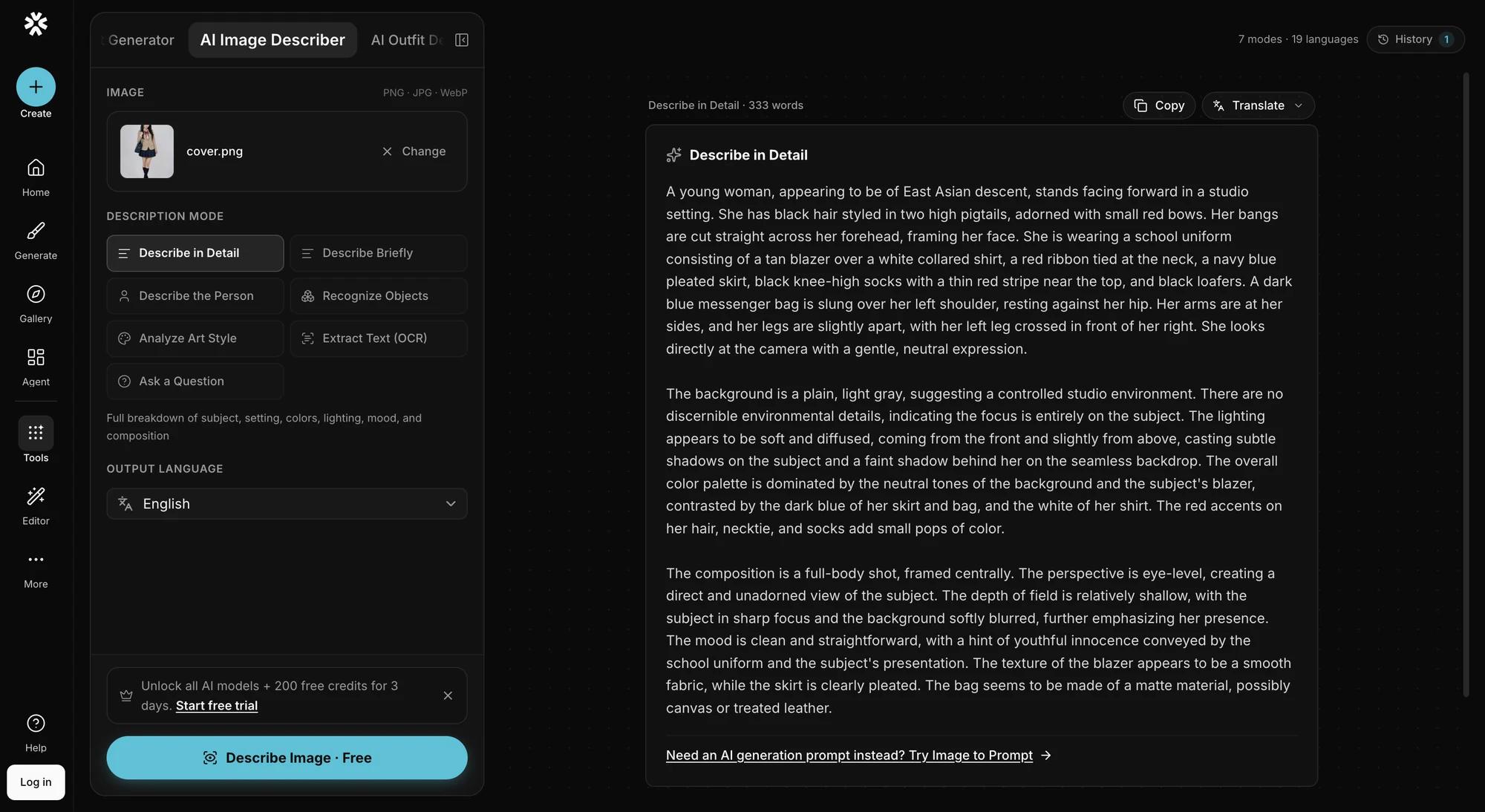
Seven modes (detail, brief, person, objects, art style, extract text, custom question), 19 output languages, and 8 free descriptions a day without an account. Past that, log in and each one costs 1 credit.
Pros
- 8 free descriptions a day without an account — more than either competitor gives
- 19 output languages, more than either competitor
- Person mode describes people without trying to identify who they are
Cons
- No Flux, Midjourney or Stable Diffusion prompt formatting in this tool — that lives in a separate tool, Image to Prompt
- No batch upload yet
- Doesn't read HEIC, HEIF or BMP
- Past 8 a day, each description costs 1 credit and needs a login
My verdict
The one to reach for when five free descriptions a day isn't quite enough, or you'd rather pay 1 credit per image than take out a subscription.
IMAGEPROMPT
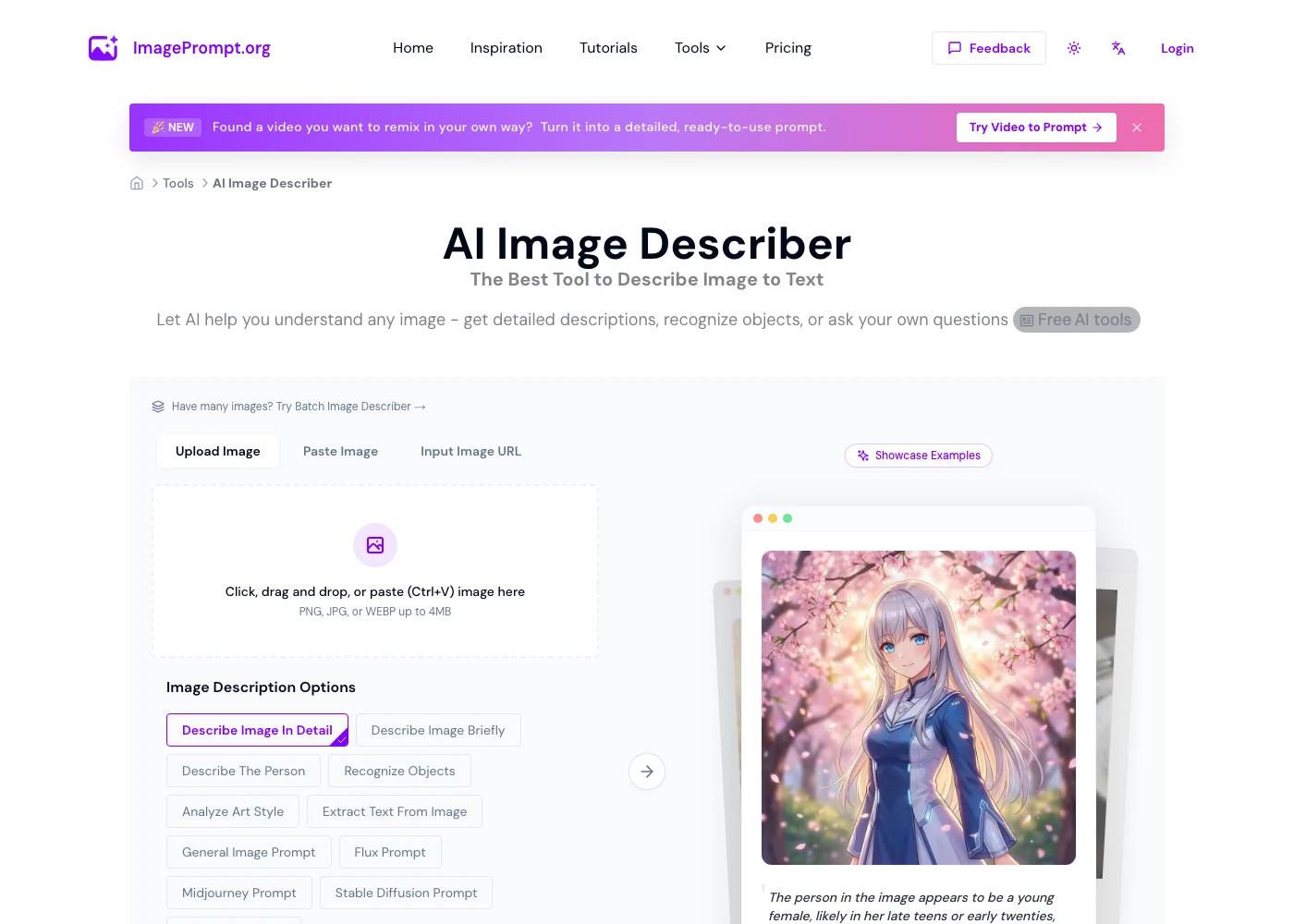
IMAGEPROMPT's describer sits inside a larger prompt-writing suite, which is where four of its eleven modes come from: alongside the six description modes there's a button each for a general prompt, a Flux prompt, a Midjourney prompt and a Stable Diffusion prompt, all generated from the same uploaded photo. Free use is capped at 5 Prompt Credits a day, and that pool is shared with the rest of the site's prompt tools, not just the describer, according to IMAGEPROMPT's own FAQ.
Pros
- Prompt-format modes (Flux, Midjourney, Stable Diffusion) built into the same tool
- 16 output languages
- No account needed to try it
Cons
- 5 credits a day, shared across the site's prompt tools, so this describer alone competes with everything else you run there
- 4 MB upload limit, the smallest of the three
- Its detailed mode runs long — six paragraphs on our test image
My verdict
Worth it if you want a description and a Flux, Midjourney or Stable Diffusion prompt from the same upload, and five images a day is enough for what you're doing.
DESCRIBEIMAGE
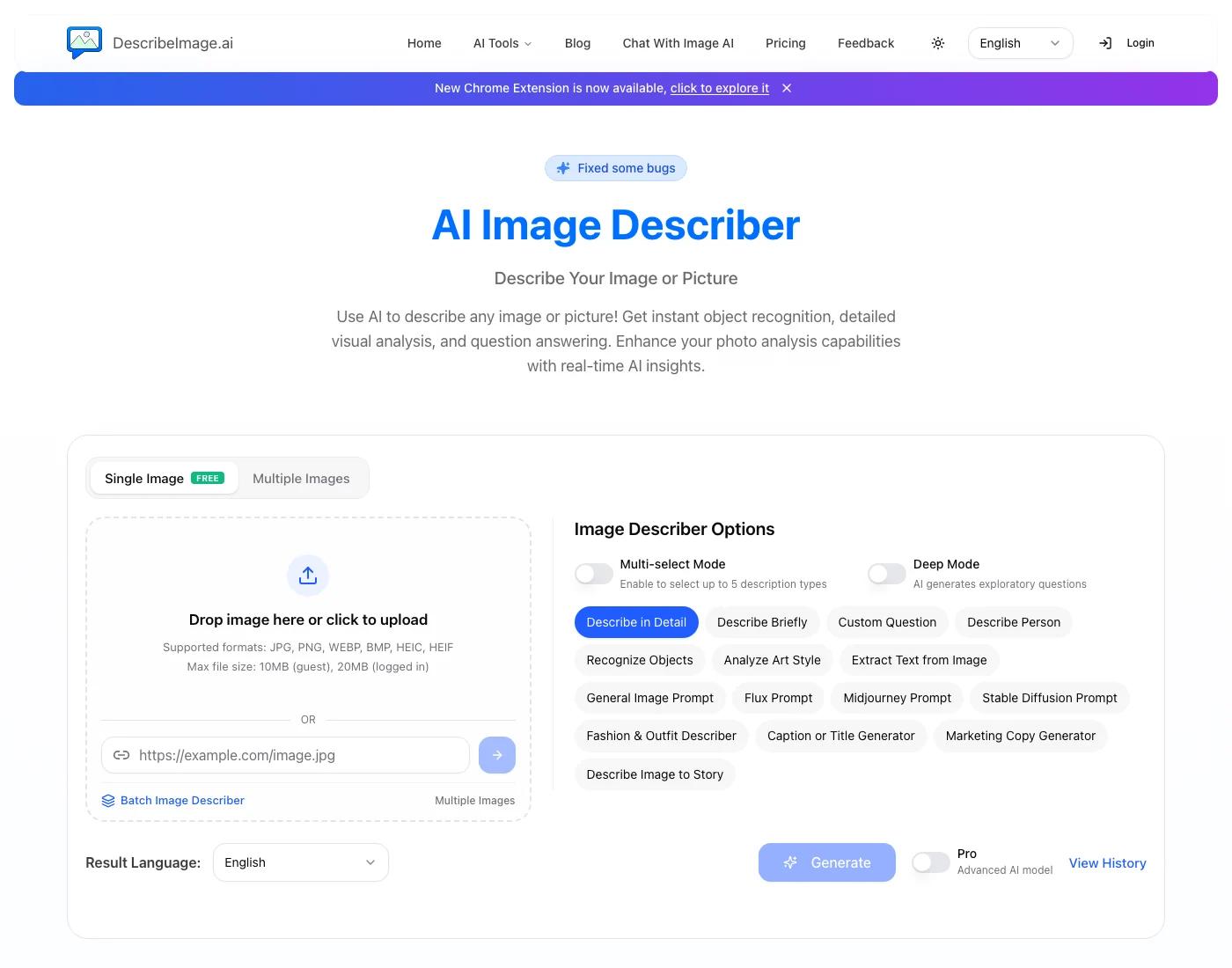
DESCRIBEIMAGE's describer covers the most ground of the three: alongside the usual detail, brief, person, objects, art style and text-extraction modes, it adds a fashion and outfit describer, a caption or title generator, a marketing copy generator and a "describe image to story" mode, and it's the only one of the three that reads HEIC and HEIF — the formats an iPhone photo comes in before you convert it. Free use is 5 uses a day for guests and signed-in free accounts alike, shared across the describer, its image-to-prompt tool and its chat-with-image tool, per DESCRIBEIMAGE's own FAQ.
Pros
- Reads HEIC, HEIF and BMP in addition to JPG, PNG and WebP
- The most modes of the three, including fashion, caption, marketing copy and story
- 20 MB uploads once you're signed in
Cons
- 5 uses a day, shared across three different tools on the site
- 12 output languages, the fewest of the three
- A "Pro" toggle for a stronger model sits behind the same daily count as the free one
My verdict
The one to try first if your photos are straight off an iPhone in HEIC, or if you specifically want a fashion or caption mode.
Which one should you use
- Describing more than five images today: Vormly. You get 8 free without an account, and past that it's 1 credit per image once you log in; the other two need a paid plan or credit pack to go past five.
- You need the output already formatted for Flux, Midjourney or Stable Diffusion: IMAGEPROMPT or DESCRIBEIMAGE bundle that into the describer itself; on Vormly it's a second tool, Image to Prompt.
- Your photos are HEIC files straight off an iPhone: DESCRIBEIMAGE is the only one of the three that takes them without converting first.
- You need alt text for a batch of product photos: none of the three has batch built into the free describer we tested here — check each site's separate batch tool and its own limits before you commit to it for a large folder.
Conclusion
All three tools will draft a usable description from a photo in a few seconds, and the raw material — what's actually in the frame — comes out roughly the same everywhere. What's different is how quickly you hit a wall: two of these cap you at five images a day, shared across other tools on the same site, and one gives you 8 without an account, then charges 1 credit per image once you log in.
Try Vormly's AI Image Describer on your own photos. Your first 8 descriptions a day are free and don't need an account.