xAI's video model, with sound in every clip and up to 30 seconds in one go. The cheapest way to see an idea move.
A free Vormly account makes 6-second Grok Video clips at no cost. After that a 6-second clip is 25 credits, the cheapest video on the site.
Pick 6, 10, 15, 20 or 30 seconds. Every clip comes with sound made for the scene: chatter, footsteps, a line someone says.
Add up to seven images of a face, a product or a place and Grok builds the scene around them. Add one to start the clip on it.
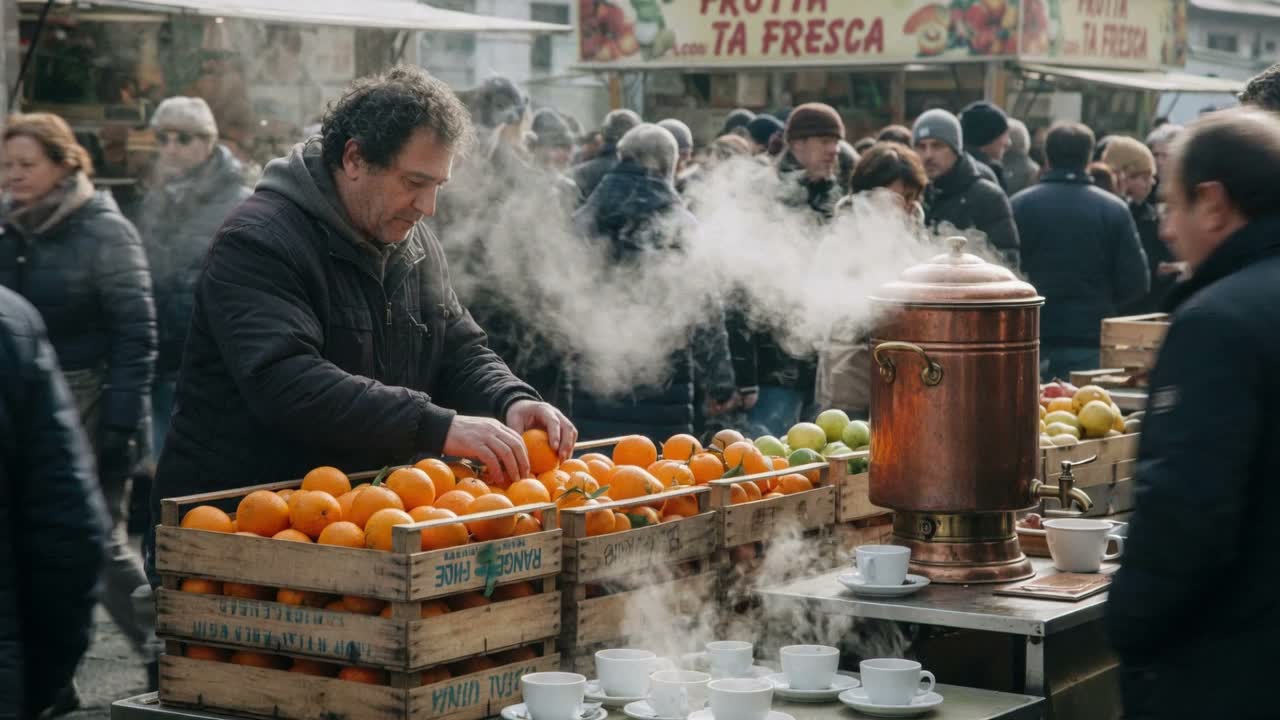
A busy morning market stall — a vendor arranges crates of oranges, steam rising from a coffee urn, people passing behind, ambient chatter and clinking cups. Handheld documentary feel, natural daylight, rich ambient soundscape
The market stall arrives with its chatter and clinking cups, made in the same pass as the picture. Turn the sound on to hear it.
A potter's hands shape a spinning clay vessel on a wheel, clay walls rising smoothly under steady fingers, water glistening, the wheel turning at constant speed. Close shot, hands and fingers correctly formed and stable throughout, no warping, natural weight and momentum, warm workshop light
A potter's hands on a spinning wheel, fingers correctly formed from the first frame to the last. Hands are where cheap video usually gives itself away.
A still oil painting of a harbour at dusk comes to life — the water begins to ripple, moored boats rock gently, clouds drift across the sky, lantern light flickers on the quay. The painting's brushwork and composition stay exactly as they were; only the scene inside it moves. Slow push in.
The water ripples, the boats rock, the lanterns flicker, and the brushwork stays exactly as it was.
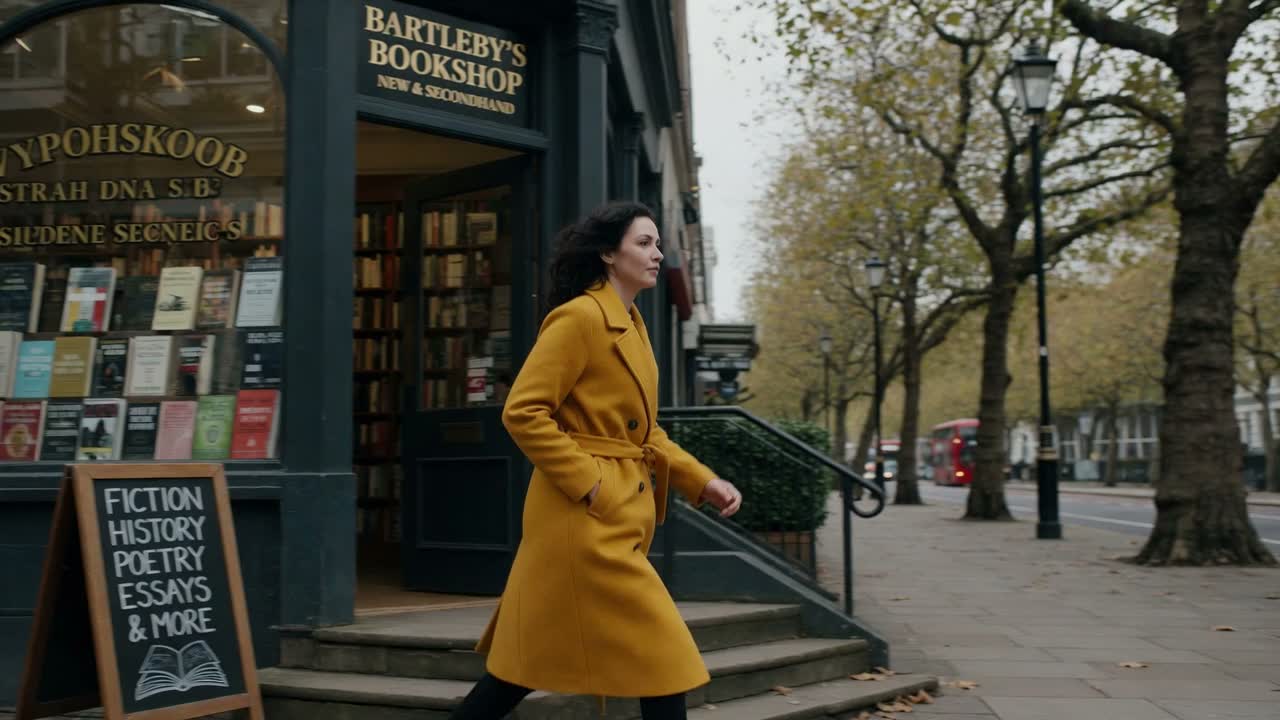
The same woman in a mustard yellow coat walks through three settings in one continuous move — out of a bookshop doorway, along a tree-lined street, into a cafe. Her face, hair and coat stay identical throughout, consistent overcast daylight, steady tracking camera
The same woman in the same mustard coat, out of the bookshop, along the street and into the cafe in one move. For a character across many clips, add her picture as a reference.
Say what is on screen, what moves and what we hear. Put a line of dialogue in quotes for someone to say it.
One image starts the clip on it; up to seven are used as references for faces, products and places.
6, 10, 15, 20 or 30 seconds, in 16:9, 9:16, 1:1, 3:2 or 2:3. The 6-second clip is the free one.
The clip opens in Create when it is ready and downloads as an MP4.
Sound, motion and references on Grok Video, next to xAI's own announcements. The 720p and 6 to 30 second limits are this site's, not xAI's.
Every Grok clip comes with its own sound, background noise, footsteps or a spoken line, made together with the picture rather than added afterwards. That is how xAI describes Grok Imagine Video 1.5.
“Sound effects, ambience, and dialogue are generated in the same pass and land on the action.”Hands and moving objects hold their shape from the start of a clip to the end, without the warping cheap video models show. xAI gives this as one of the main improvements in Video 1.5.
“Movement holds together over the length of a clip — fewer warps, more believable weight and momentum.”Add up to seven pictures and Grok keeps each one the same in the video: a face, a product, a place. That is how xAI describes what a reference image is for.
“Each reference image locks one thing in place — a face, a product, a location.”Grok Imagine is xAI's image and video generator. Its video model, listed here as Grok Video 1.5, makes clips with sound from a prompt or from images, from 6 up to 30 seconds.
Yes, to start. A free Vormly account makes 6-second Grok Video clips at no cost, with no X Premium or SuperGrok plan. Longer clips and extra runs are paid with credits: 25 for 6 seconds, up to 125 for 30.
Yes. Pick 10, 15, 20 or 30 seconds before you generate; a 30-second clip is 125 credits. Only the 6-second clip is free. For more than 30 seconds, make the video scene by scene and join the clips in an editor.
Yes. Every clip comes with sound made for the scene, such as street noise, music or a spoken line. Describe the sounds, and put dialogue in quotes.
Yes. Add an image and the clip starts on it, or add up to seven as references for a face, an outfit, a product or a place. Image to Video lets you try the same picture on other models too.
720p, in 16:9, 9:16, 1:1, 3:2 or 2:3. For 4K, use Veo 3.1.
Grok is far cheaper (25 credits for 6 seconds) and runs up to 30 seconds, so it is the one to find an idea on. Veo 3.1 makes 8-second clips from 30 credits, can go to 4K, and is stronger on lip-synced dialogue. Both add sound.
Name the subject, the action, the camera and the sound: "a vendor arranges oranges at a market stall, handheld, chatter and clinking cups". Keep it to one scene per clip, and describe people the same way each time to keep them consistent.
Downloads on a free account, including the free 6-second clip, carry a small Vormly watermark. During the free trial and on paid plans you download the clean MP4.
Yes. Clips you make with Grok Video here are yours to use in ads, client work, YouTube videos and social posts, with no credit to Vormly needed. New clips are public by default and can appear in Explore with their prompt; on a paid plan you can make them private. A real brand or a famous person's likeness in your prompt is not cleared just because a model made the clip.