Google's Gemini image models — the ones that get text and faces right.
Where Nano Banana earns its keep, according to Google and the people using it.
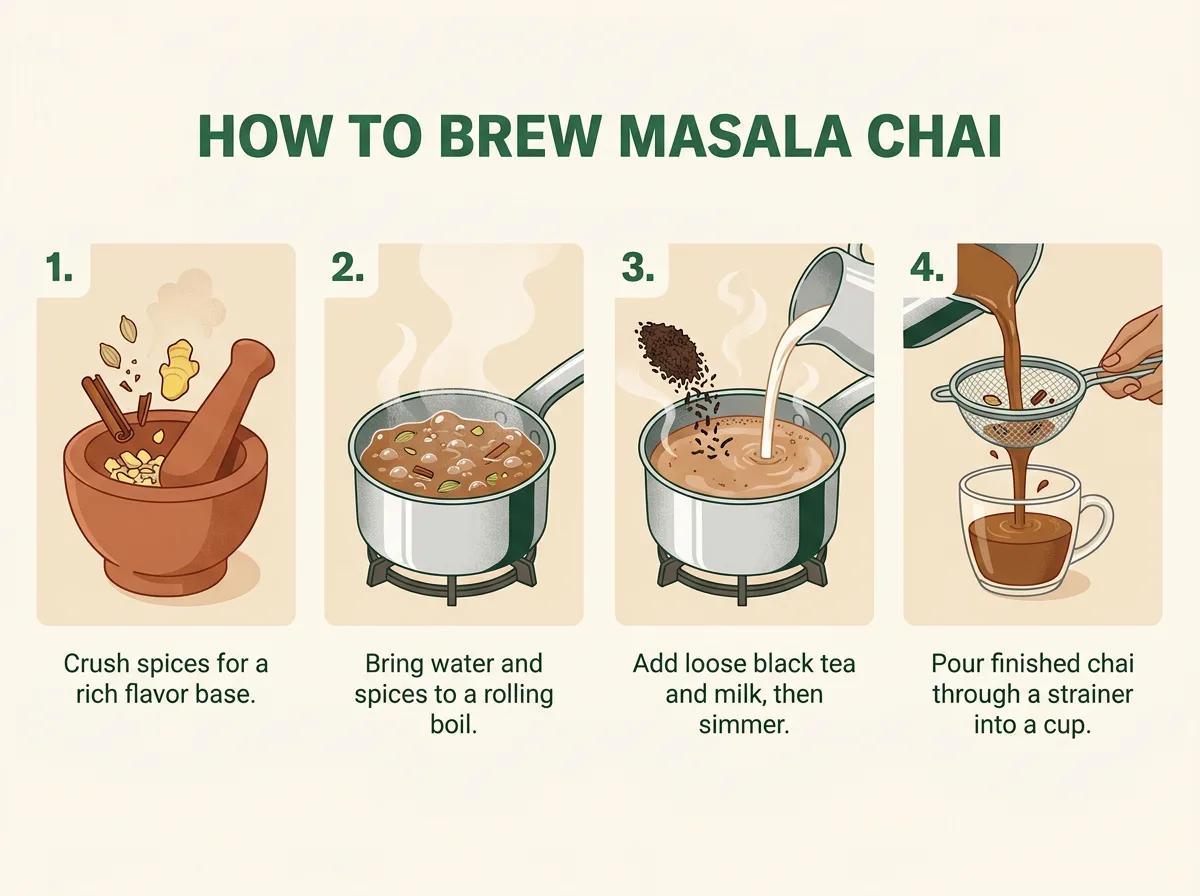
Google's headline scenario, and the one that needs more than a good renderer: the picture has to know things. Reasoning and Gemini's knowledge of the world sit behind the image, so a recipe card, a plant-care guide or a set of handwritten notes comes out as a diagram whose content holds up — not decorative shapes that look like data.
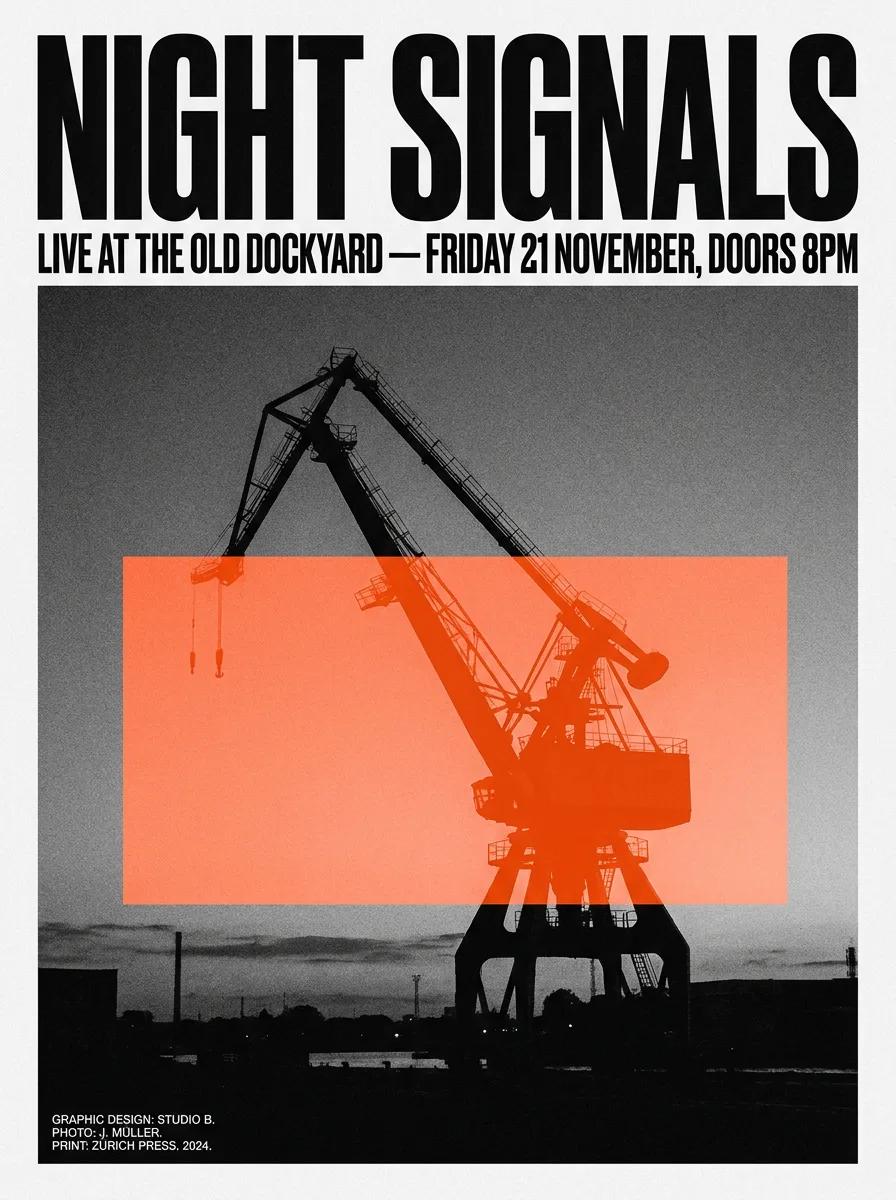
The failure mode every image model is known for is gibberish lettering, which is what makes packaging, poster and UI mockups useless. This is the model that fixed it — slogans through full paragraphs, across languages, fonts and calligraphy, with the type sitting inside the composition rather than pasted over it.
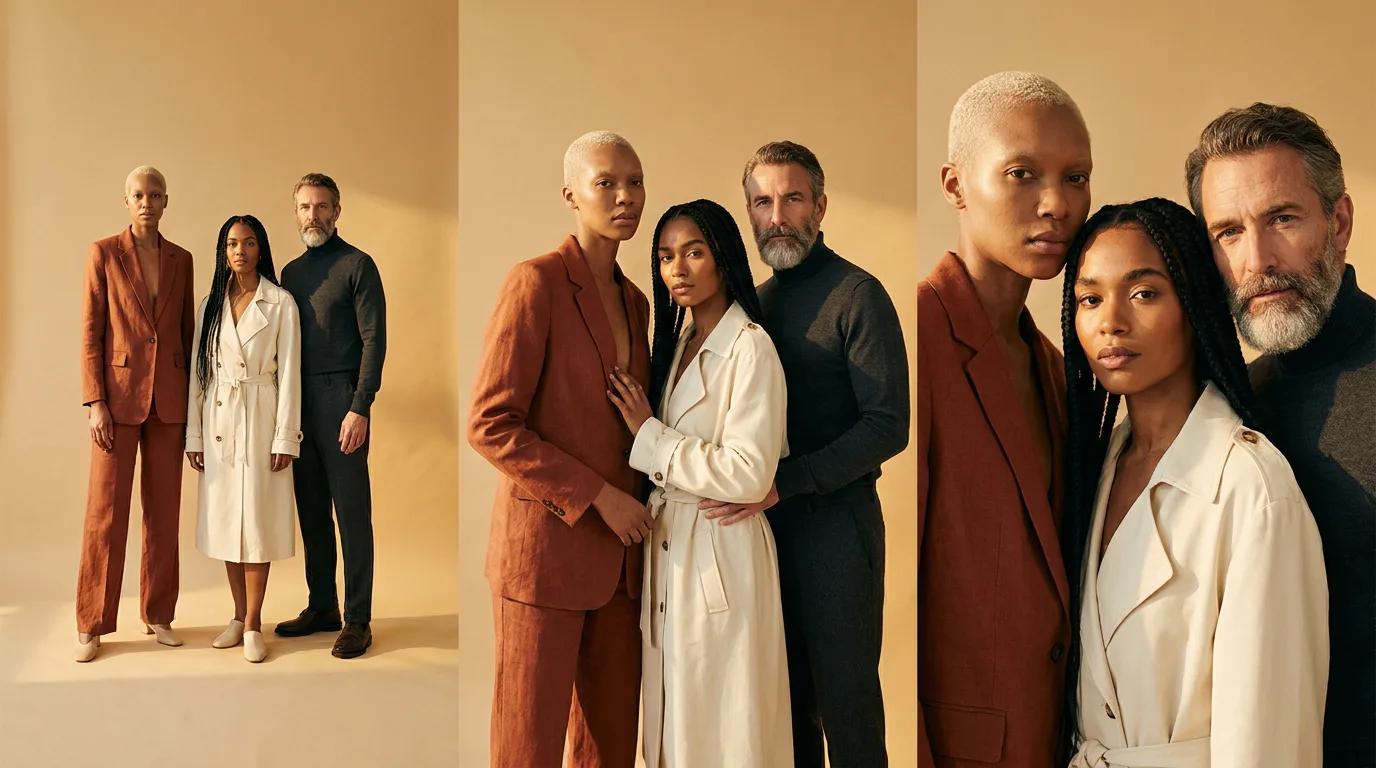
A campaign is the same people and the same products, shot again and again. Pro holds them together across a composition — Google's own example is a fashion editorial carrying five people and a dog through changing angles and distances, with one visual look applied over the lot.
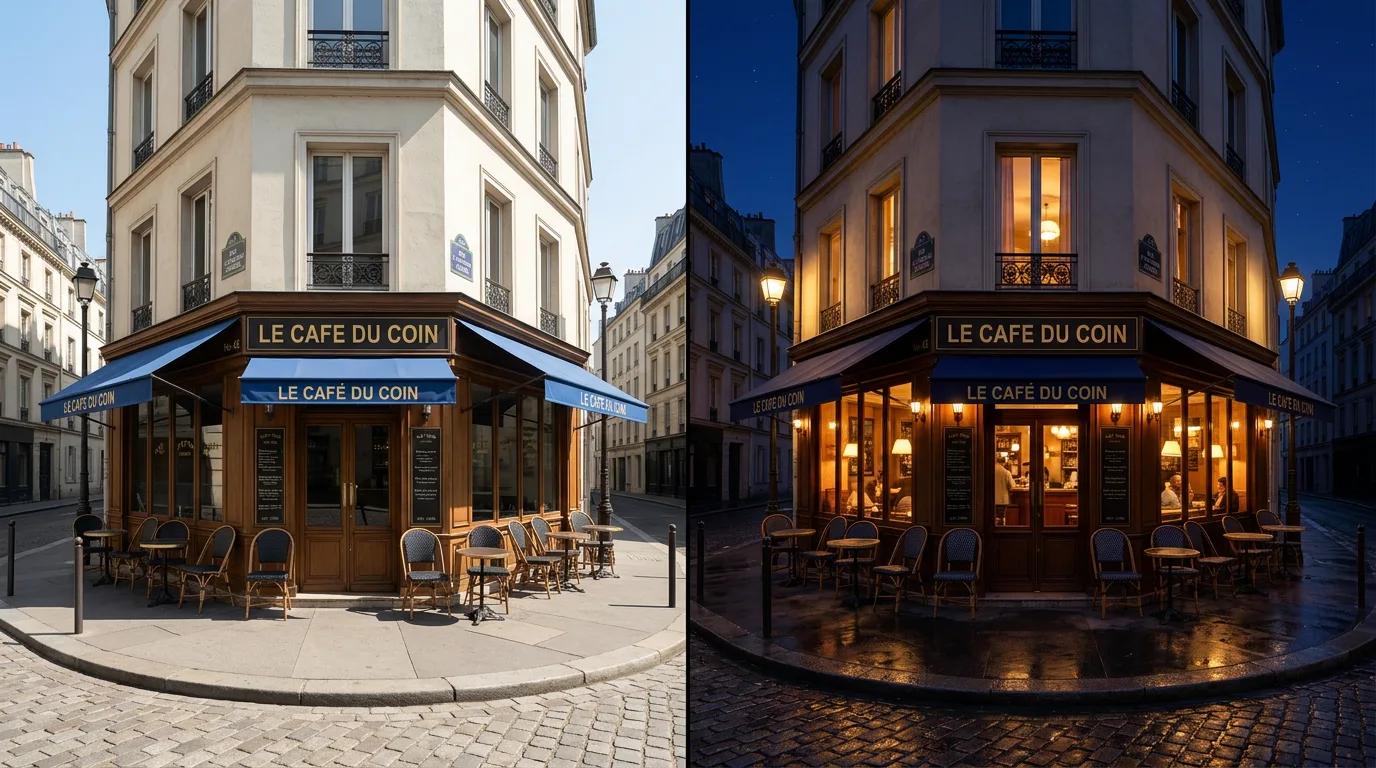
Studio controls on a picture you already have: move the camera, change the lens depth, re-grade the colour, move the light, take a daylight scene to night. The subject stays the subject — you are re-shooting it, not rolling the dice on a new one — and it comes back at up to 4K.
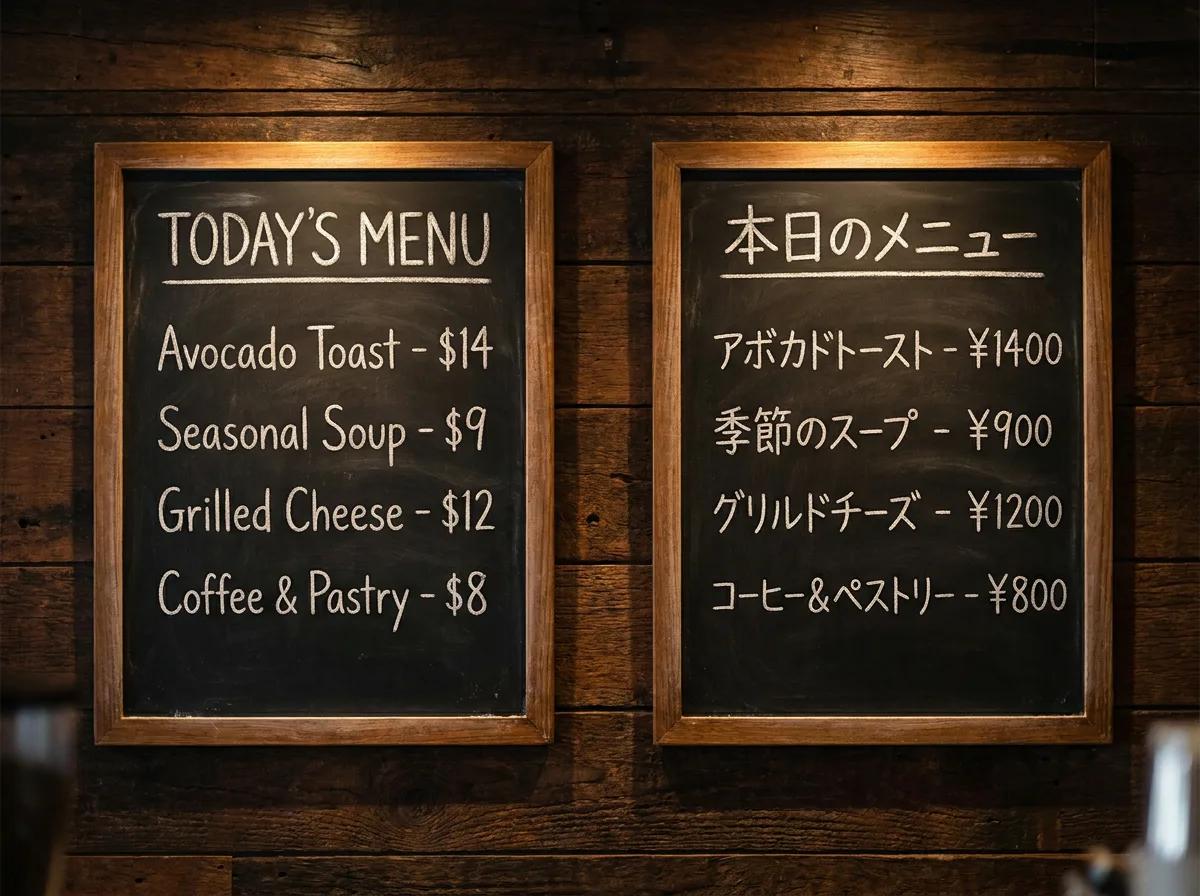
Menus, signage, documents and packaging translated in place, with the layout and the design intact. Google calls this out as its own capability rather than a side effect of text rendering — the barrier between generating an image and localising one is gone.
All three Nano Banana versions in one prompt box on the web, with a free Vormly account.
Pick 1K for drafts or 4K for print, and add up to 14 reference pictures to edit or combine.
Credits per image instead of a monthly AI plan, and the button shows the cost before you click. The free trial covers about ten Pro pictures.
Nano Banana 2 is the newest and the one this page opens on. Switch to Nano Banana Pro for long text and diagrams, or to the original Nano Banana for quick edits.
Describe the scene in whole sentences, with any words that should appear in quotes. To edit instead, add up to 14 photos and say what changes and what stays: "keep her face, put her in a navy blazer against a grey studio wall".
1K for a quick look, 2K for most uses, 4K for print, plus the shape: square, 9:16 or 16:9. The price on the Generate button moves with the size.
Save it as PNG, JPG or WebP, or drop it back into the prompt box as a reference and ask for the next change.
Text, references and size, the three reasons this page gives for switching to Pro, in Google's own words.
When a picture is mostly words, a poster, a menu or a label, switch to Nano Banana Pro. Google calls it its best model for text that is spelled right, from a short tagline to a whole paragraph.
“Nano Banana Pro is the best model for creating images with correctly rendered and legible text directly in the image, whether you're looking for a short tagline, or a long paragraph.”You can add up to 14 photos to one prompt, several people, a product or a room, and Nano Banana Pro combines them into one picture. Google built Pro to keep up to five people looking like themselves while it does.
“With Nano Banana Pro, you can blend more elements than ever before, using up to 14 images and maintaining the consistency and resemblance of up to 5 people.”Before you generate, you choose 1K, 2K or 4K. These are the three sizes Google publishes for the model, and the price on the button follows the size.
“Generate crisp visuals at 1k, 2k or 4k resolution.”Nano Banana is the nickname for Google's Gemini image models. It is known for two things: editing a photo while the person still looks like themselves, and putting words in a picture that are spelled right. This page runs all three versions: Nano Banana 2, Nano Banana Pro and the original Nano Banana.
Right here: the prompt box at the top of this page runs Nano Banana directly. Write your idea, choose Nano Banana 2 or Pro and a shape, and generate. No Gemini app, Google AI plan or API key is involved, only a Vormly sign-in.
Nano Banana is not on the daily free runs, so each picture costs credits: 15 for Nano Banana 2 at 1K, 20 for Nano Banana Pro. Start a 3-day free trial and you get 200 credits to spend here. Starting the trial takes a card but costs nothing today; we email you before it ends, and if you do not cancel, the plan you picked renews at its normal price. That covers about ten Pro pictures. For free pictures, a free account gets free runs every day on GPT Image 2 at low quality, Grok Imagine and FLUX Schnell.
Start with Nano Banana 2. It is the newer, faster model and goes from quick drafts up to 4K. Switch to Nano Banana Pro when the picture is mostly words or facts, like an infographic, a menu or a diagram: it thinks longer before drawing. Both take up to 14 reference pictures.
Yes. Add your photo to the prompt box and say what should change and what should stay the same, such as "keep my face, make this a professional headshot with a grey studio background and soft light". You can add up to 14 pictures, so you can also put a product from one photo into the scene of another. To change just one area, brush over it in the AI Image Editor, which runs Nano Banana too.
Yes. Nano Banana 2 and Nano Banana Pro let you pick 4K before you generate; it costs more than 1K or 2K, and you see the price before generating. The original Nano Banana stays at 1K; its pictures can be upscaled to 4K at download.
Write it as you would brief a person: the subject, the setting, the light, the style, in whole sentences. Put any words that should appear in quotes. When editing, name what must not change ("same face, same pose"). Nano Banana rewards detail, so a long prompt is fine. Seen a picture whose look you want? Image to Prompt writes its prompt out for Nano Banana.
Nano Banana is the pick for editing real photos and for long, detailed prompts. Midjourney gives the most polished, painterly look but only works from text. GPT Image is the strictest at following a layout and setting words. When in doubt, try both on one prompt.
Only when you download on a free account: the file gets a small Vormly mark in the corner. Paid plans and the free trial download the clean image.
Yes. What you generate is yours to use in ads, products, client work and social posts, with no credit to Vormly needed. New images are public by default and can appear in Explore with their prompt; on a paid plan you can make them private. A real brand's logo or a famous person's likeness in your prompt is not cleared just because a model drew it.
Yes. Open Image to Video, drop in the picture and describe how it should move. Google's video model is Veo, which also runs here.