OpenAI's image model, built to follow the brief exactly.
Where GPT Image earns its keep, according to OpenAI and the people using it.
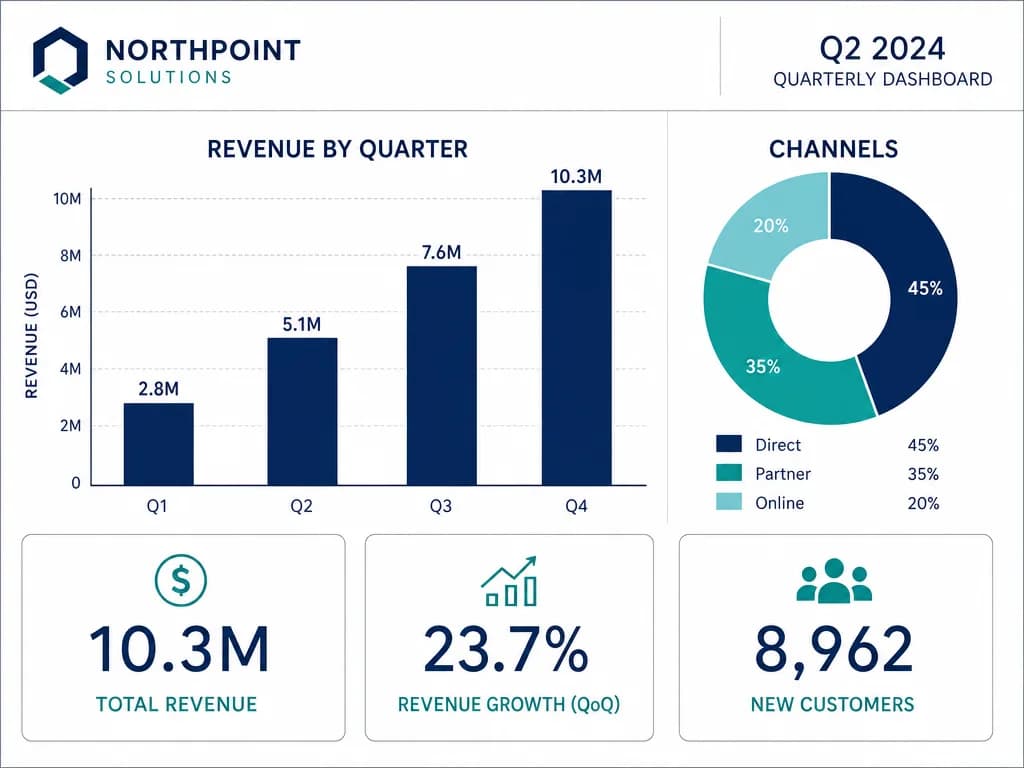
OpenAI lists structured generation first among what GPT Image 2 improved — the pictures with rules, where a chart has to have the right number of bars and a comic has to read left to right. This is the category that punishes a model with no sense of layout, and it is the one OpenAI chose to lead with.
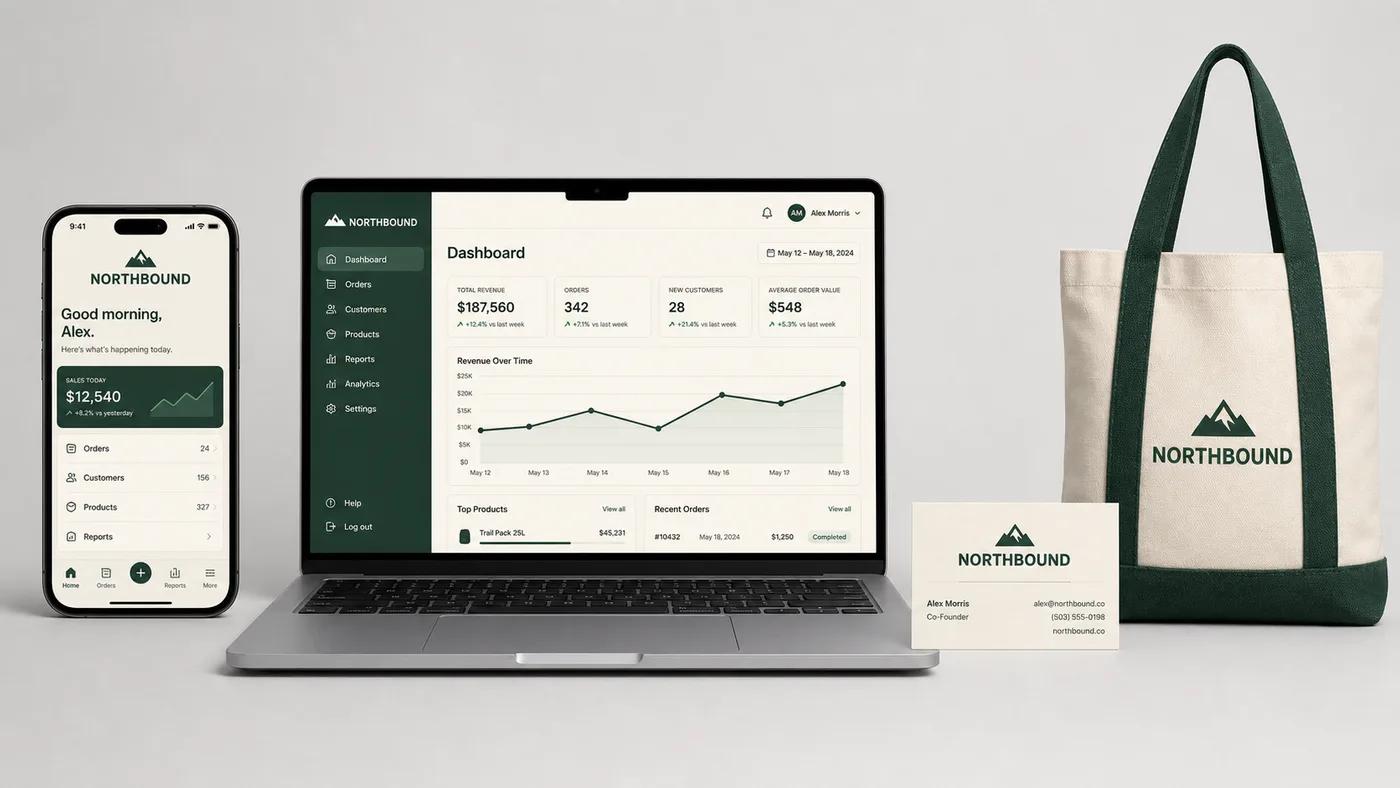
App screens, ads, product flows, social posts, slides, documents — OpenAI names the surfaces rather than the styles, because the claim is that what comes out is usable at the size it ships at rather than a nice picture you then have to redo.
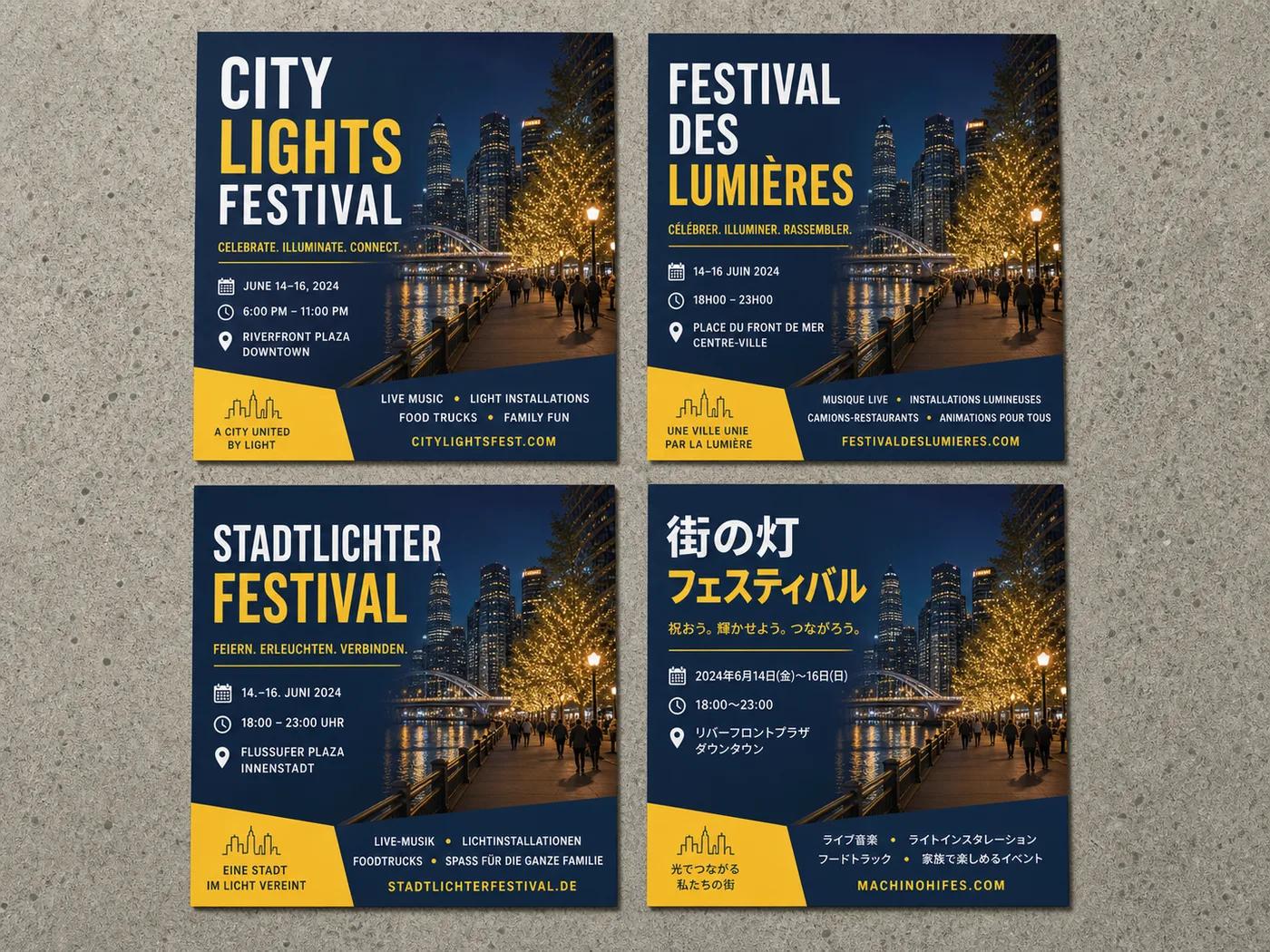
Multilingual rendering is the thing that turns a mockup into a deliverable. A menu, a flyer or a UI screen has to be legible in the language it ships in, and the layout has to still work when the words get longer.
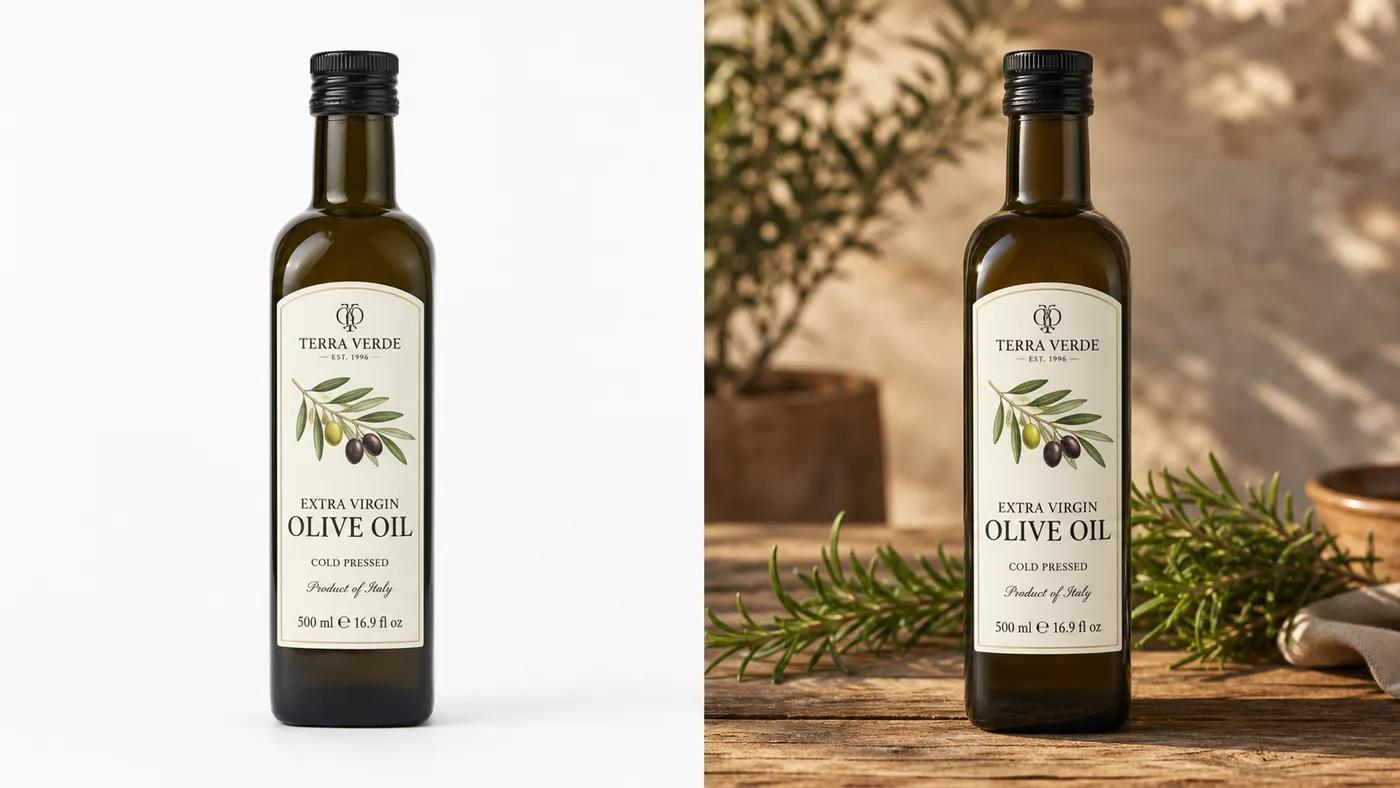
Change the background, the lighting or the scene and the logo is still the logo and the face is still the face. That restraint is why this series suits product and brand work, where an edit that quietly redraws the mark is worse than no edit.
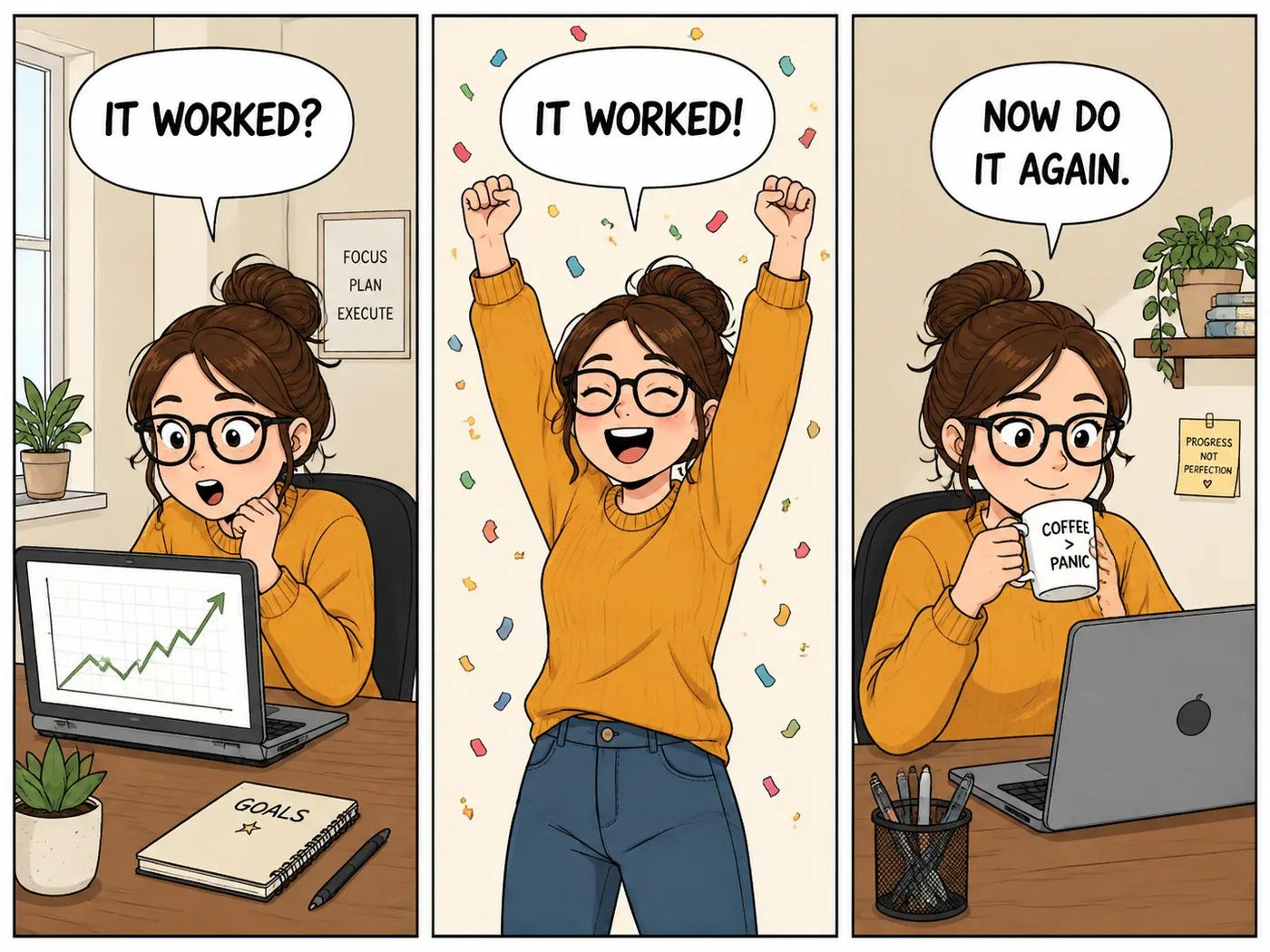
In a single picture, GPT Image 2 keeps one character through every panel of a strip — the same hair, glasses and jumper — and letters each caption cleanly. That is what a comic, a storyboard or a how-to sequence needs, and where most models drift by the second panel.
GPT Image 2 and 1.5 in the browser, without an OpenAI account or API key.
A free account gets free runs every day on GPT Image 2 at low quality. Go up to 4K and high quality when the picture is final.
Add your product shots, logo or photos as references and describe the change in a sentence.
GPT Image 2 is the one this page opens on: choose 1K, 2K or 4K and low, medium or high quality. GPT Image 1.5 is the older, quicker editor.
Say what goes where: "headline across the top, the date bottom right, the bottle in the middle", with the words in quotes. To edit, add up to 16 pictures: "same bottle and label, on a rustic wooden table in morning light".
Low quality is the free way to test a layout. Move up to medium or high, and up to 4K, for the final; the Generate button prices each combination.
Read every word at full size before you use it, then save it as PNG, JPG or WebP.
The advice this page gives for GPT Image, quotes for text, the right quality, how to word an edit, is OpenAI's own.
Put every word that should appear in the picture inside quotes. OpenAI's own prompting guide gives the same advice for lettering that reads.
“If the text must appear in the image, quote it exactly and ask for clean, legible typography.”Low quality is fine for trying out a layout. For small text, busy charts or close-up faces, switch to medium or high before the final version, which is what OpenAI recommends too.
“For small or dense text, detailed infographics, close-up portraits, identity-sensitive edits, and high-resolution outputs, compare medium or high before shipping.”When you edit, say what changes and list what must stay the same, as in "same bottle and label", then repeat that list with each further change. OpenAI says this keeps a logo or a face from slowly drifting.
“For edits, use "change only X" + "keep everything else the same," and repeat the preserve list on each iteration to reduce drift.”GPT Image 2 is OpenAI's image model, the one behind image making in ChatGPT. It is known for doing what the prompt says, laying things out where you asked, and setting words in the picture that read. This page runs GPT Image 2 and the older GPT Image 1.5.
Use the prompt box on this page: write the brief, set the size and quality, and generate. It needs no ChatGPT Plus, OpenAI account or API key; a Google or email sign-in to Vormly is enough.
Yes, at low quality. A free account gets free runs every day on GPT Image 2 at low quality (and at medium quality at 1K). Higher quality and larger sizes cost credits, from 43 credits at the default 2K medium.
GPT Image 2 is newer, sharper and the only one that goes up to 4K, with three quality levels. GPT Image 1.5 renders at 1K and is the quicker choice for simple edits. Both take up to 16 reference pictures.
Yes. Pick 4K before you generate. Cost depends on size and quality together: 4K at low quality is cheap, 4K at high quality is the most expensive setting on the page.
Yes, it is the model we suggest for that. Put the words in quotes, say where they go ("headline across the top") and keep it to a few short lines: a title, a date, a price, a shop sign. Read every letter before you print or post. For a logo on a transparent background, ask for a plain white one and run it through Remove Background.
Yes. Add up to 16 pictures to the prompt box and describe the change: a new background, new light, a different season, or "turn this photo into a cartoon". Logos and faces come through edits unchanged, which is why it suits product and brand pictures. For ready-made restyles of a photo, AI Image Remix runs GPT Image 2 as well.
Be specific about layout: "a four-bar chart, bars labelled Q1 to Q4, legend on the right" or "a flyer with the headline at the top and the date in the bottom corner". Name the style and the light. If you only have a rough idea, the free AI Prompt Generator turns it into a full brief, and Image to Prompt does the same from a picture you admire.
GPT Image is the pick for charts, posters and anything with words. Nano Banana is better at editing real photos of people. Midjourney gives the most polished, artistic look. If a picture needs both words and mood, generate the layout here and the mood there.
Only when you download on a free account: the file gets a small Vormly mark in the corner. Paid plans and the free trial download the clean image.
Yes. What you generate is yours to use in ads, products, client work and social posts, with no credit to Vormly needed. New images are public by default and can appear in Explore with their prompt; on a paid plan you can make them private. A real brand's logo or a famous person's likeness in your prompt is not cleared just because a model drew it.